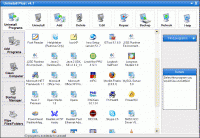
Remove any traces of the previous uninstalled or deleted programs. Secure delete sensitive information. Clean junk files and activity traces. Scan identify and correct registry malfunctions. Manage programs that start at boot.
Uninstalling programs leaves behind information such as registry keys,files, folders,menu entries etc. Uninstall Plus searches and removes the information associated with the uninstalled program so your computer is kept cleaner longer. Uninstall Plus includes: ONE CLICK UNINSTALL, uninstall programs by right clicking their shortcut icon on the desktop. DRAG &DROP UNINSTALL, uninstall programs by dragging and dropping their icon on the Uninstall Plus icon from the desktop. SECURE DELETE (wipe)FILES/FOLDERS wipe your sensitive data clean making sure it can not be recovered.CLEAN JUNK FILES, remove unwanted files slowing down the computer (temporary files, old files,empty folders,etc.). CLEAN ACTIVITY TRACES, wipe your computer clean when you are done using it so nu activity history is left behind. REPAIR INVALID REGISTRY information control the registry errors by fixing them. Uninstalling programs can be a daunting task.Uninstall Plus completely uninstalls and removes any traces of uninstalled programs automatically repair registry errors, scan identify and remove errors in your registries, backup and restore your registry to prevent any malfunctions, repair any damage done by previously uninstalled,deleted, or partially installed programs, manage the programs starting at boot time.Uninstalling programs can save you lot of space, effort and headache by keeping your computer and its operating system clean at all times. It saves you from having to recover your computer from fatal errors or even reinstalling the operating system. Start up manager allows you to keep control of the programs starting at computer's boot so no unnecessary programs are loaded and no extra time is wasted.Uninstall Plus! was designed to offer you a quicker and better solution for cleaning your computer and have it running at its real speed all the time.
Whats new in version v3.9: One click uninstall,drag and drop uninstall, secure delete files/folders, clean junk files, clean activity history, manual error repair option. Requirements: 266 Mhz, 64 Ram, 4 Mb Operating system: Win95,Win98,WinME,WinNT 3.x,WinNT 4.x,Windows2000,WinXP,Windows2003 Release notes: New Release
Step on the gas...and stay in control. 7Smoker Pro allows you to change various settings in the Windows Registry. These settings can improve the performance of your computer.
Price: $9.99, Rating: 6, Downloads: 253 Download
Make your PC run like new! Protect your data from malware and intruders. System Mechanic Pro combines 6 powerful products to optimize your registry, defragment drives and memory, speed up your computer, scrub personal data, and remove spyware.
Price: $27.98, Rating: 6.97, Downloads: 229 Download
iSysCleaner is a freeware system optimization tool. It removes all unused files from your system with few clicks and faster - freeing up valuable hard disk space.
Price: $0, Rating: 10, Downloads: 163 Download
Stellar Smart - A Hard Drive / Disk monitoring software to diagnosis and monitor the activity of Hard drive as Temperature, Head Flying Height, Spin-Up Time.Stellar Smart acts as an "early warning system" for pending hard disk problems.
Price: $49, Rating: 8, Downloads: 144 Download
User Rating
Rating:2.2 out of
5 Based on13 ratings.
13 user reviews.

 Uninstall Plus v3.9 details